One console for your whole OPNsense fleet.
Define rules and policies once and apply them to every firewall, each with its own addresses filled in. Back up, upgrade and open a shell on any firewall from your browser, with no inbound ports. Automate the rest from the CLI or your AI assistant.
Prefer the terminal? Install the CLI
- Signed commands Your firewall checks every one
- No inbound ports The agent only ever dials out
- Open-source agent and CLI On GitHub
- Built for OPNsense A plugin for 26.1.11 and later
How it works
Paste one line on the firewall. Everything after happens in the console.
The firewall dials out to NetDefense, so you open nothing inbound, and it waits for your approval before NetDefense manages it.
-
Create your account
Sign up, set up multi-factor authentication and name your organization.
Start free -
Paste one line on the firewall
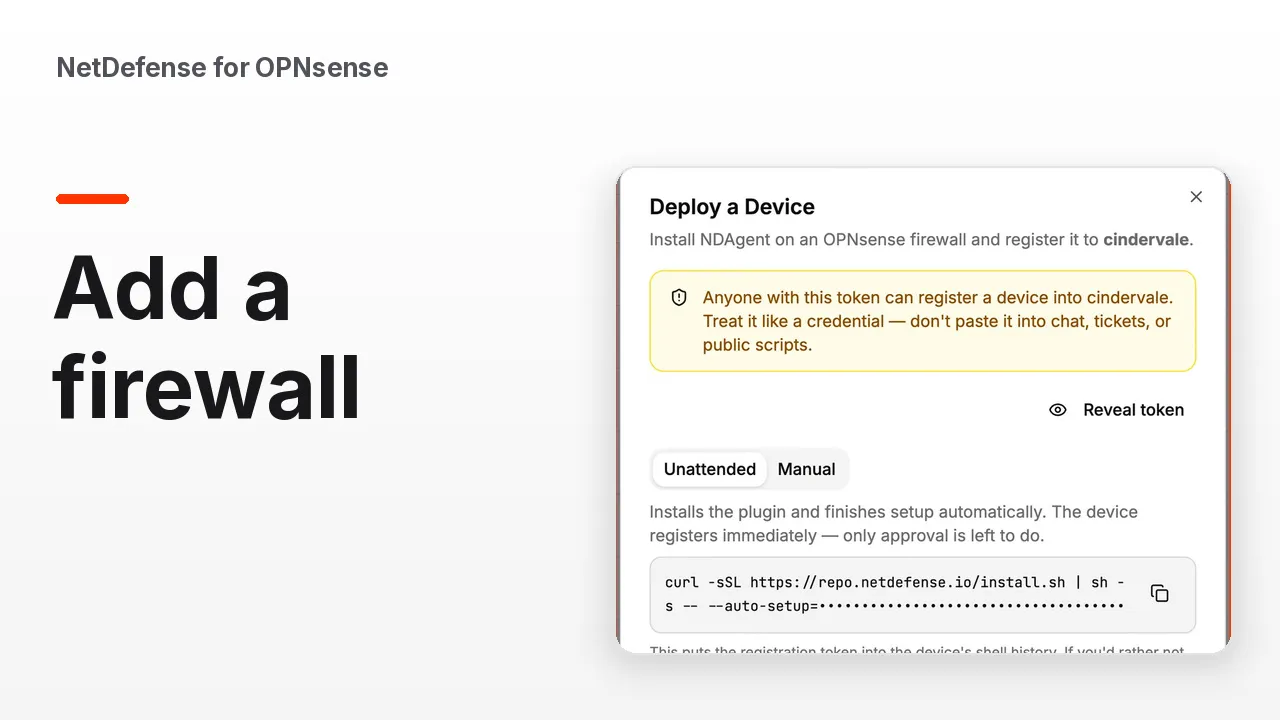
Deploy Device in the console gives you an install command with your organization's token already in it. Run it at the firewall's root shell: it installs the NetDefense plugin, sets up its API access and starts the agent, which registers the firewall.
Other install methods# curl -sSL https://repo.netdefense.io/install.sh | sh -s -- --auto-setup=<token> -
Approve it in the console
The firewall shows up as Pending, so a leaked token can't add a device on its own. Approve it, and it's ready for templates, backups and upgrades.
NetDefense keeps what's shared across your fleet. Each firewall's own WebAdmin keeps what's unique to it, like its interfaces.
Prefer the terminal?
Sign in, create your organization and approve the firewall from NDCLI. Install it with Homebrew, Scoop on Windows, or a Linux binary for amd64 or arm64.
Install the CLI$ brew install netdefense-io/tap/ndcliRun the fleet, not each firewall
The jobs that used to mean logging in to every box, one at a time, done once from the console.
-
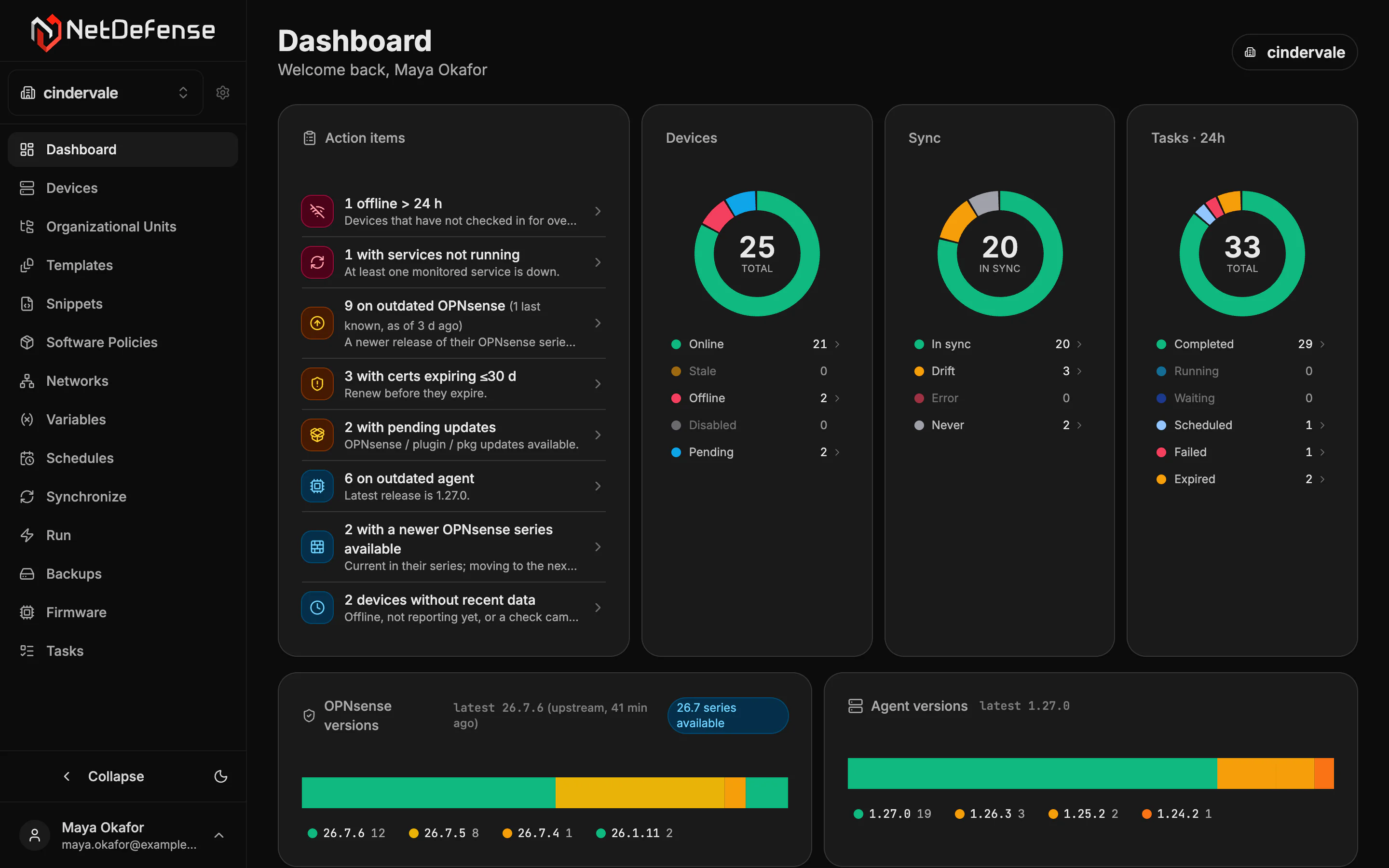
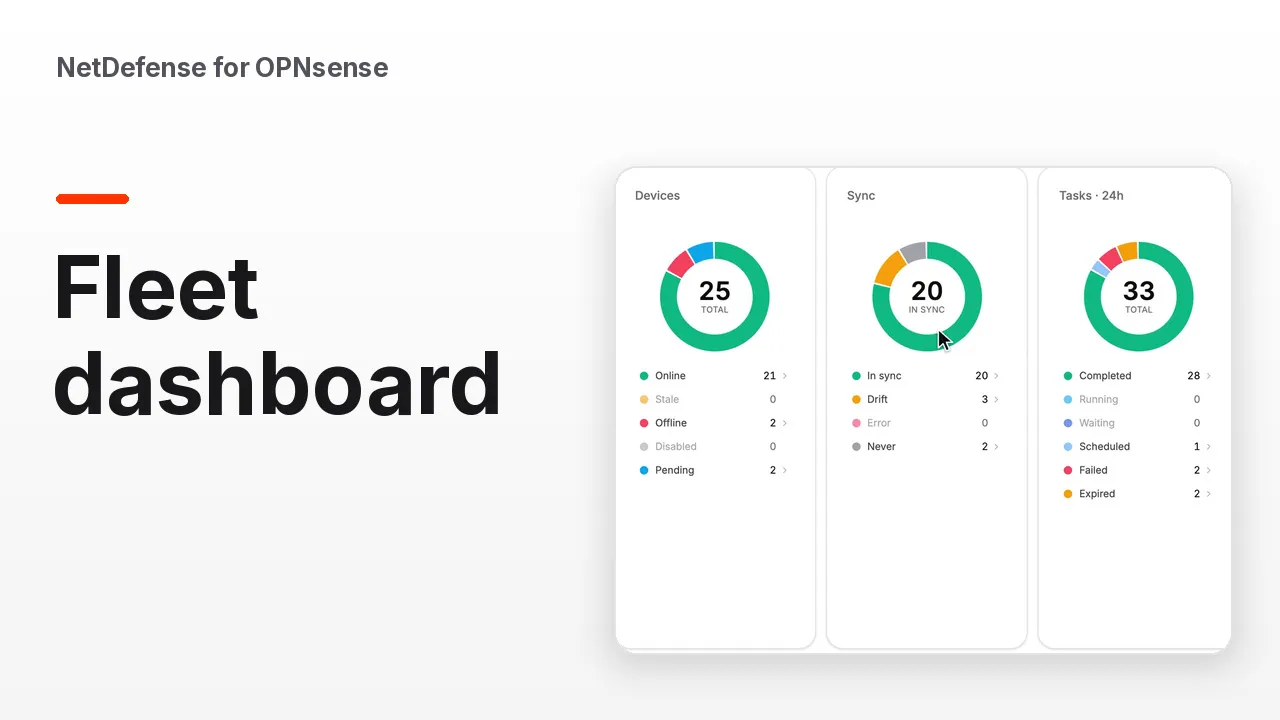
See the whole fleet
Every firewall's health on one screen.
Offline devices, failed syncs, expiring certificates and outdated releases, counted and sorted for you.
See how -
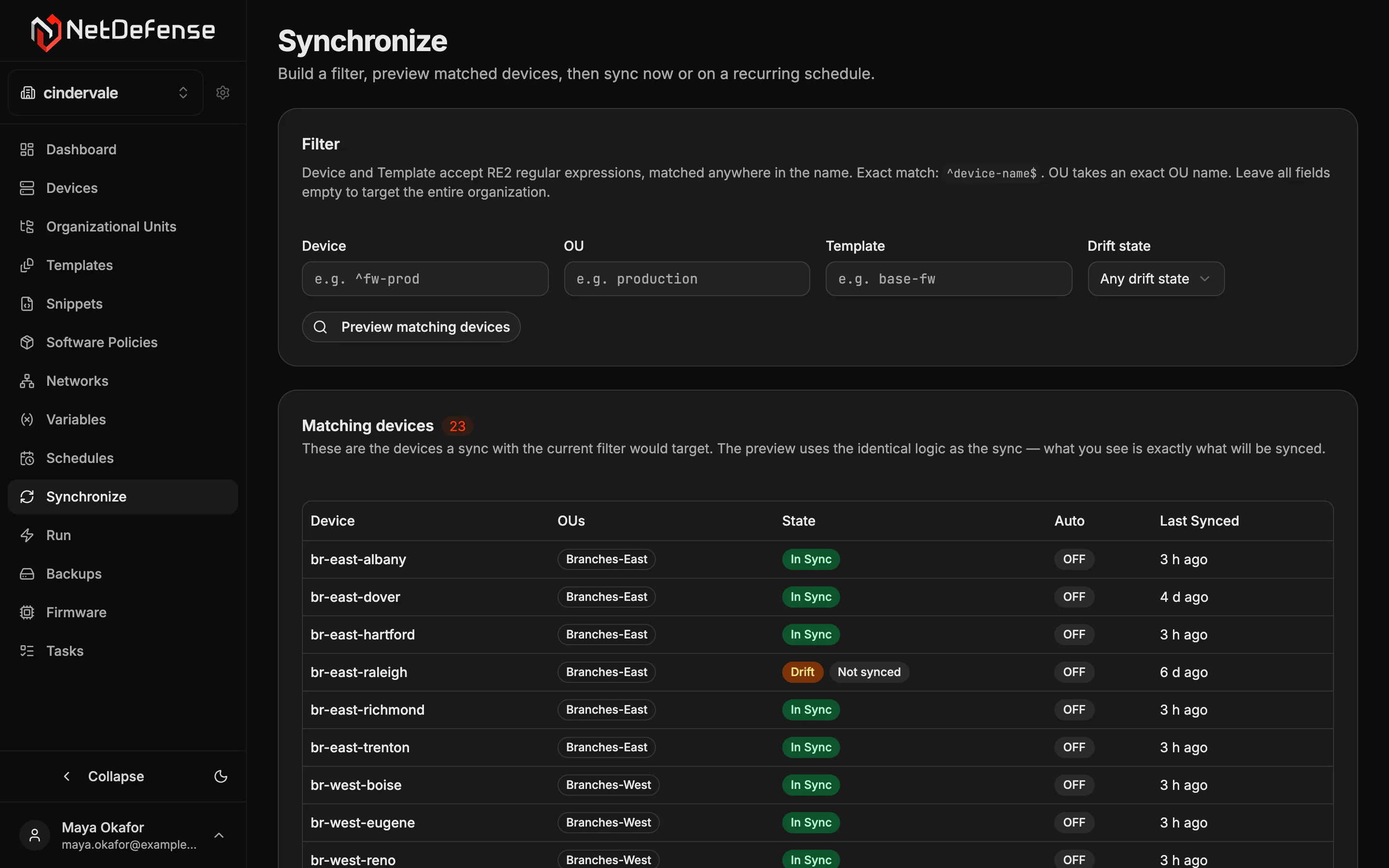
Configure once, apply everywhere
Write it once. Every OPNsense firewall follows.
Templates carry your rules and policies, and variables fill in each firewall's own addresses.
See how -
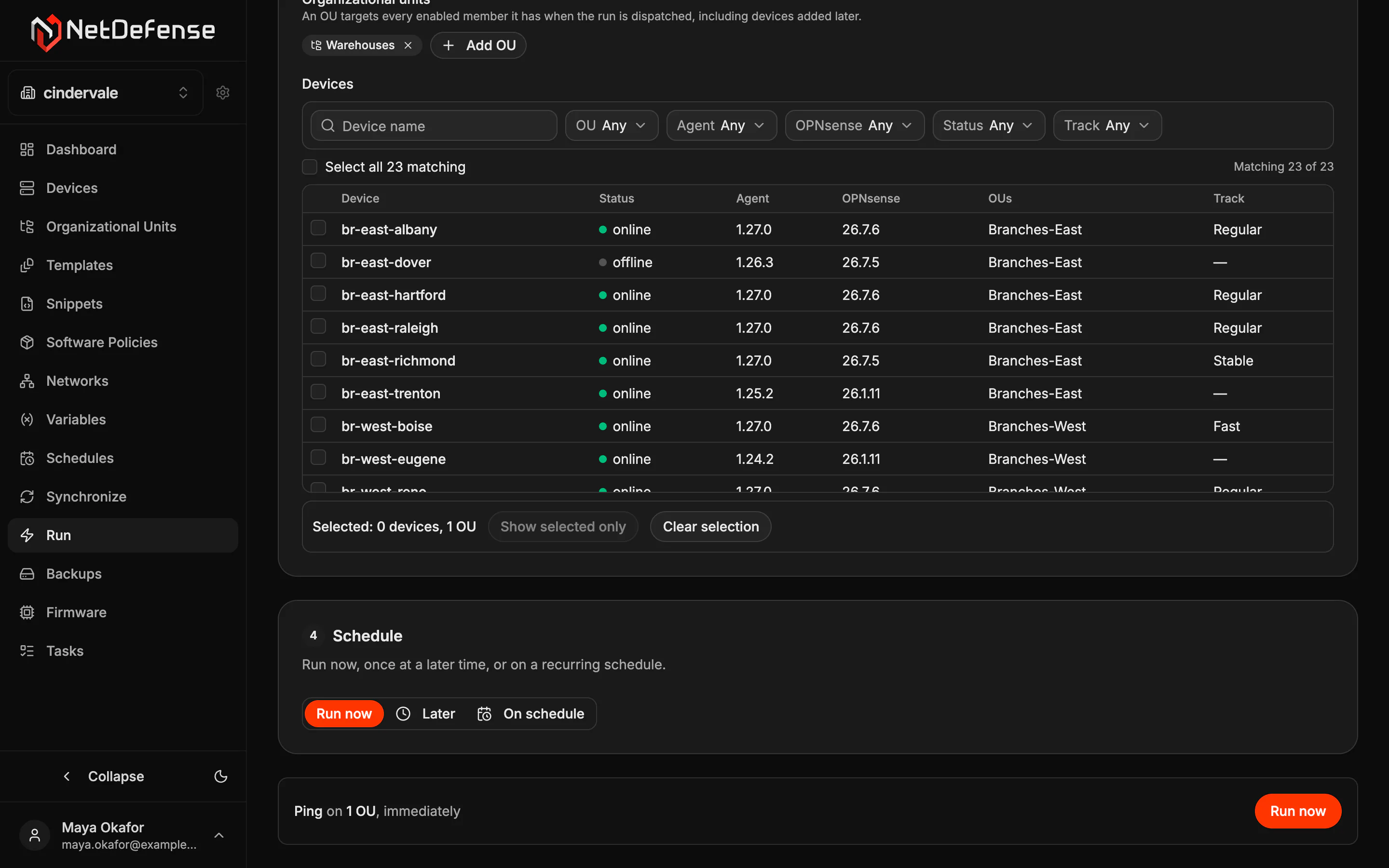
Act on many firewalls at once
Ping, restart, back up or upgrade a whole group.
Run commands now, later or on a schedule, back up on demand, and follow every task they create.
See how -
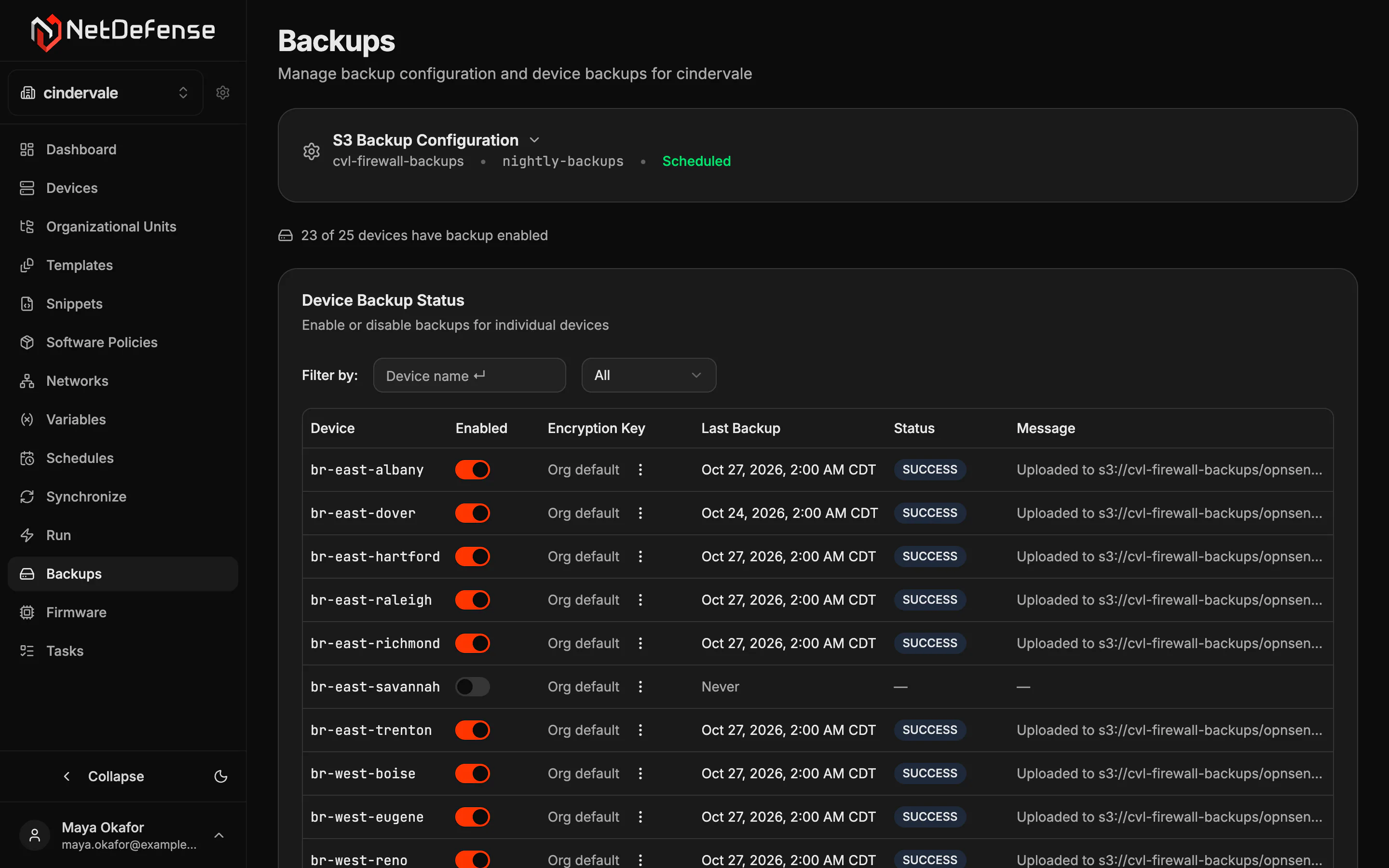
Keep every config safe
Encrypted backups in a bucket you own.
Each firewall's configuration, encrypted on the firewall with a key you set and sent to your own S3-compatible bucket.
See how -
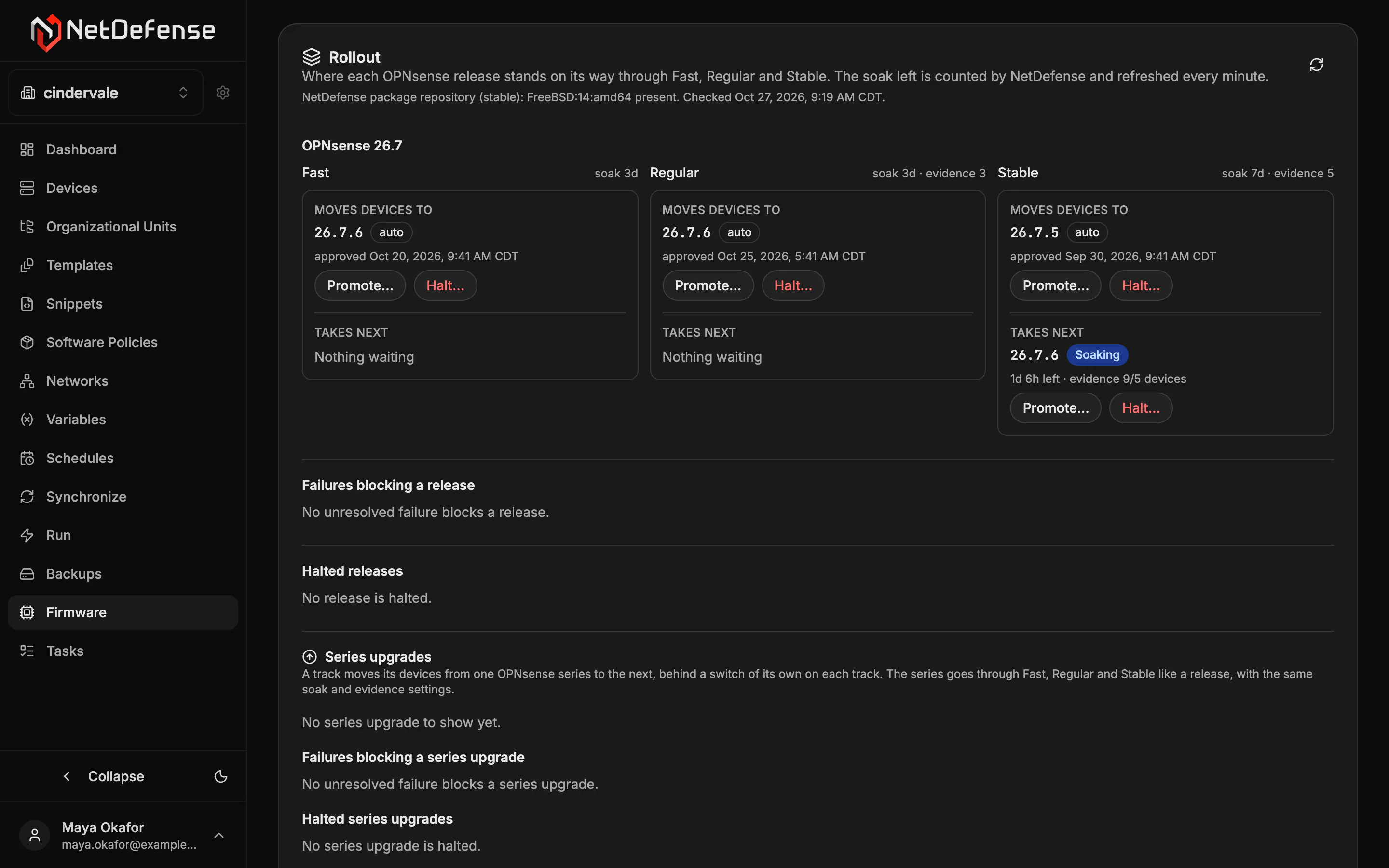
Upgrade without surprises
Let each release prove itself first.
Fast, regular and stable tracks move an OPNsense release on only after it has soaked.
See how -
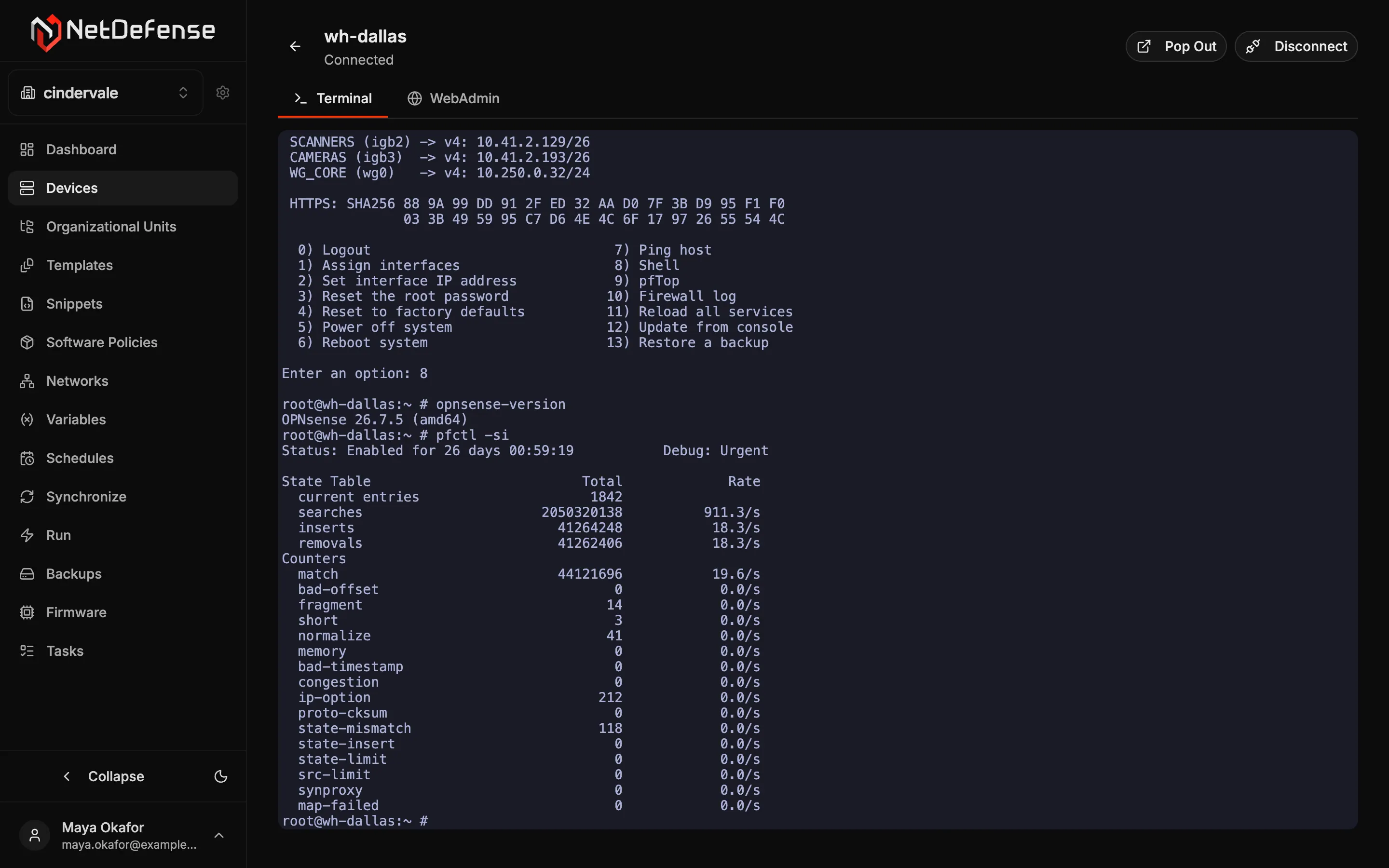
Reach any firewall, open no ports
A shell on any firewall, in your browser.
Through an outbound-only tunnel, even behind NAT, with nothing opened inbound.
See how
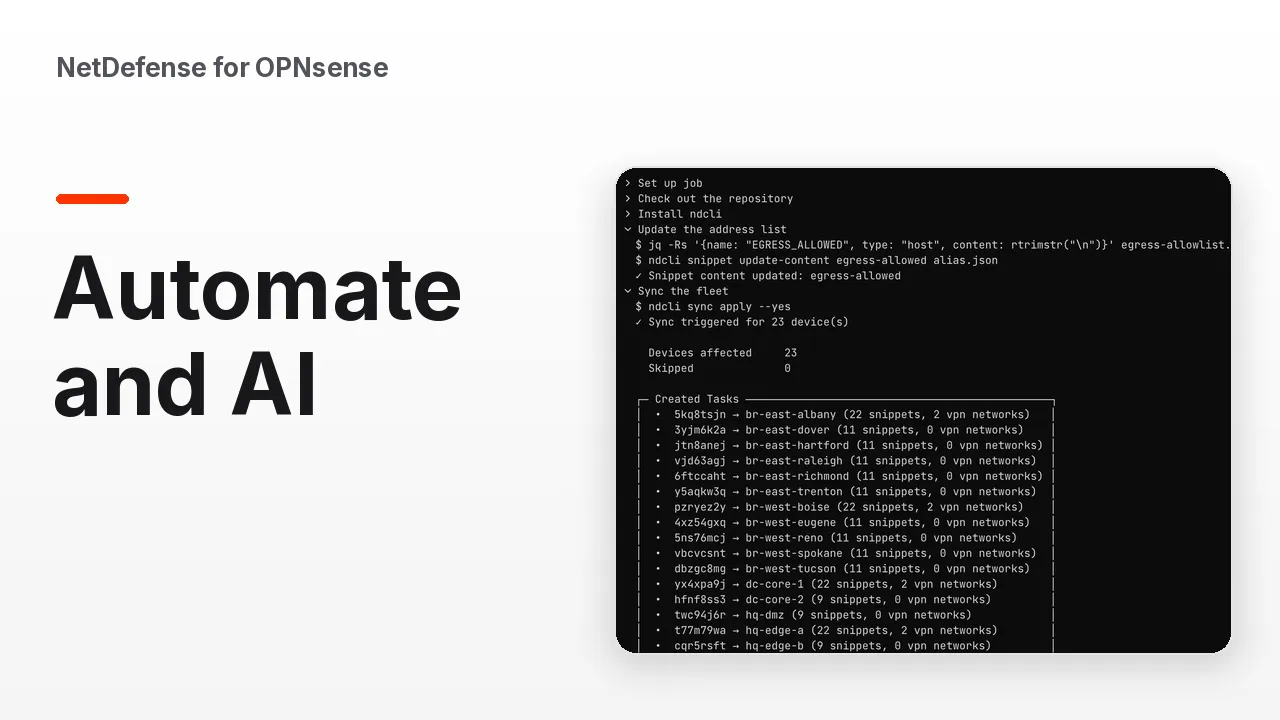
Automate & AI
Click it in the console, script it with the CLI, or ask your AI assistant.
NDCLI puts the same fleet in your terminal and your CI pipelines. The MCP server puts it in your AI assistant, with your login and your permissions.
- You: Which firewalls haven't synced in the last week? If they're online, sync them.
-
ndcli.device.listsynced_before: 7d2 devices, both with a recent heartbeat -
ndcli.sync.statusfw-branch-denver and fw-branch-austin: not in sync -
ndcli.sync.applydevice: ^fw-branch-(denver|austin)$Preview: would sync 2 devices - Assistant: fw-branch-denver and fw-branch-austin last synced more than a week ago, and both are out of sync with your templates. A sync pushes the configuration your templates define to these two. Go ahead?
- You: Yes.
-
ndcli.sync.applydevice: ^fw-branch-(denver|austin)$, confirm: true2 sync tasks created -
ndcli.task.listtype: SYNC2 completed - Assistant: Done. Both firewalls are back in sync.
Built so your firewalls check every command.
Every command your firewall executes is cryptographically signed, sequenced, and independently verified by the device. See exactly what that protects against — and what it honestly doesn't. NDAgent and NDCLI are also open source, for your team to review.
Who it's for
Anyone running more OPNsense firewalls than they want to log in to one at a time.
-
MSPs
One organization per client, each with its own firewalls, policies, people and plan, and one login to move between them.
NetDefense for MSPs -
Multi-site IT
Head office, branches and data centers on one set of rules, backed up and upgraded on your schedule.
Central management -
Homelabs and labs
The Free plan covers anything not carrying production traffic: up to 10 firewalls and 3 users.
See the Free plan
Latest from the Blog
-

NetDefense Agent 1.31.0: Check SSL Verification Before You Upgrade
From 1.31.0 the agent always verifies its connections to NetDefense, and a new TLS Mode setting chooses what it trusts. Firewalls that relied on SSL Verification being off need a CA file before they upgrade.
-

How to Back Up OPNsense Firewall Configurations to Your Own S3 Bucket
Have each OPNsense firewall encrypt its configuration with a key you set, send it through NetDefense to an S3-compatible bucket you own on a schedule, and check every firewall's last backup.
-

How to Push One Rule to Every OPNsense Firewall, With Each Site's Own Addresses
Write a firewall rule once, let a variable fill in each site's address, preview which firewalls a sync will reach, and read exactly what changed on each one.
-

When OPNsense Fixes a Release in Place: Hotfix Revisions in Firmware Tracks
OPNsense sometimes rewrites a release without changing its version number. Firmware tracks now record each rewrite as a revision, roll it out through fast, regular and stable, and make the device check it before installing.
-
Firmware Tracks: Stage OPNsense Updates from Fast to Stable
Hold each OPNsense firewall at an exact release and let a release prove itself in fast, regular and stable tracks before it reaches the rest. Promote or halt it by hand, and read the limits before you switch on series upgrades.
-

RULE and ALIAS Snippets Now Set Every OPNsense Field, and Place Rules Where You Said
A RULE or ALIAS snippet can now set any field of OPNsense's rule or alias, and PREPEND rules come first in their section. Here is what changes at save, at sync and on your firewalls, and a checklist for snippet files kept in git.
-

Certificate Sync for OPNsense: Renew Once, Every Firewall Follows
NetDefense now syncs CAs and certificates, private keys included, into the trust store of every OPNsense firewall, and renews them in place: services stay bound, and the ones using a renewed certificate reload on their own.
-

Superuser Clearance for Snippets That Grant Firewall Admin Rights
A Read-Write member, or anyone holding a leaked token, could once give a firewall account administrator rights through a snippet. Now only a Superuser signed in interactively can save that content, the control plane won't build it otherwise, and NDAgent 1.20.1 checks the accounts and groups only the device can see.
Ready to take control?
Start on the Free plan with your lab firewalls, or talk to us about your production fleet.
Prefer the terminal? Install the CLI Star us on GitHub
NetDefense is an independent project and is not affiliated with, endorsed by, or connected to OPNsense or Deciso B.V. OPNsense is a registered trademark of Deciso B.V.