Networks
A NetDefense network is a WireGuard overlay that joins several devices into one routable network. You choose an overlay CIDR, mark devices as HUB or SPOKE, and NetDefense generates the WireGuard configuration for every member during the next sync. Read the concept overview in VPN Networks.
Networks list
Section titled “Networks list”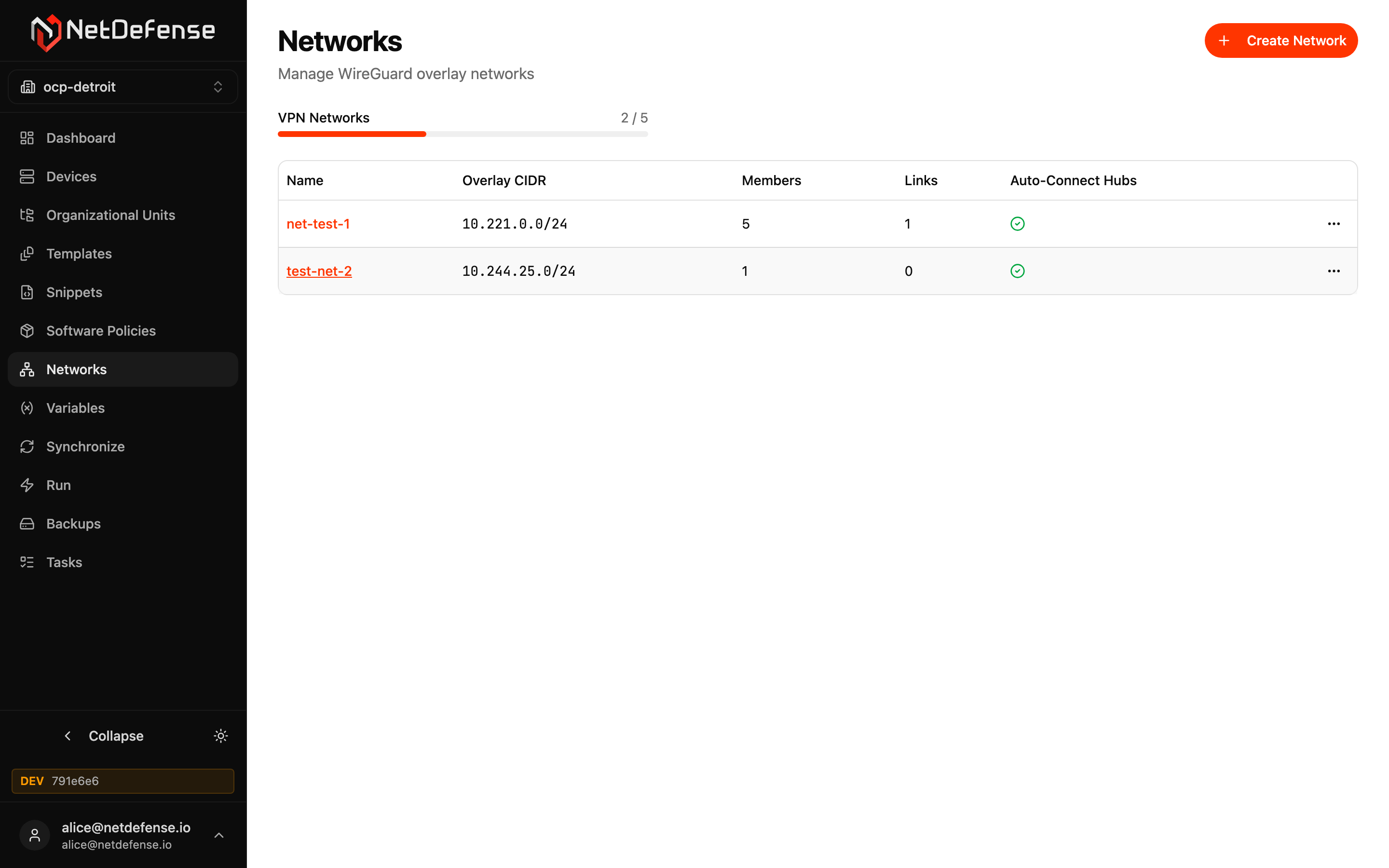
Each row is one overlay network:
| Column | Meaning |
|---|---|
| Name | Click to open the network. |
| Overlay CIDR | The private subnet WireGuard hands out to peers. Immutable after creation. |
| Members | How many devices are joined. |
| Links | How many explicit peer-to-peer links are defined (in addition to auto-connect). |
| Auto-Connect Hubs | Green check if hubs peer with each other automatically. |
A progress bar above the table shows your plan’s network-count quota (e.g. 2 / 5). Each row’s … menu has Delete; everything else is on the network’s page.
Create a network
Section titled “Create a network”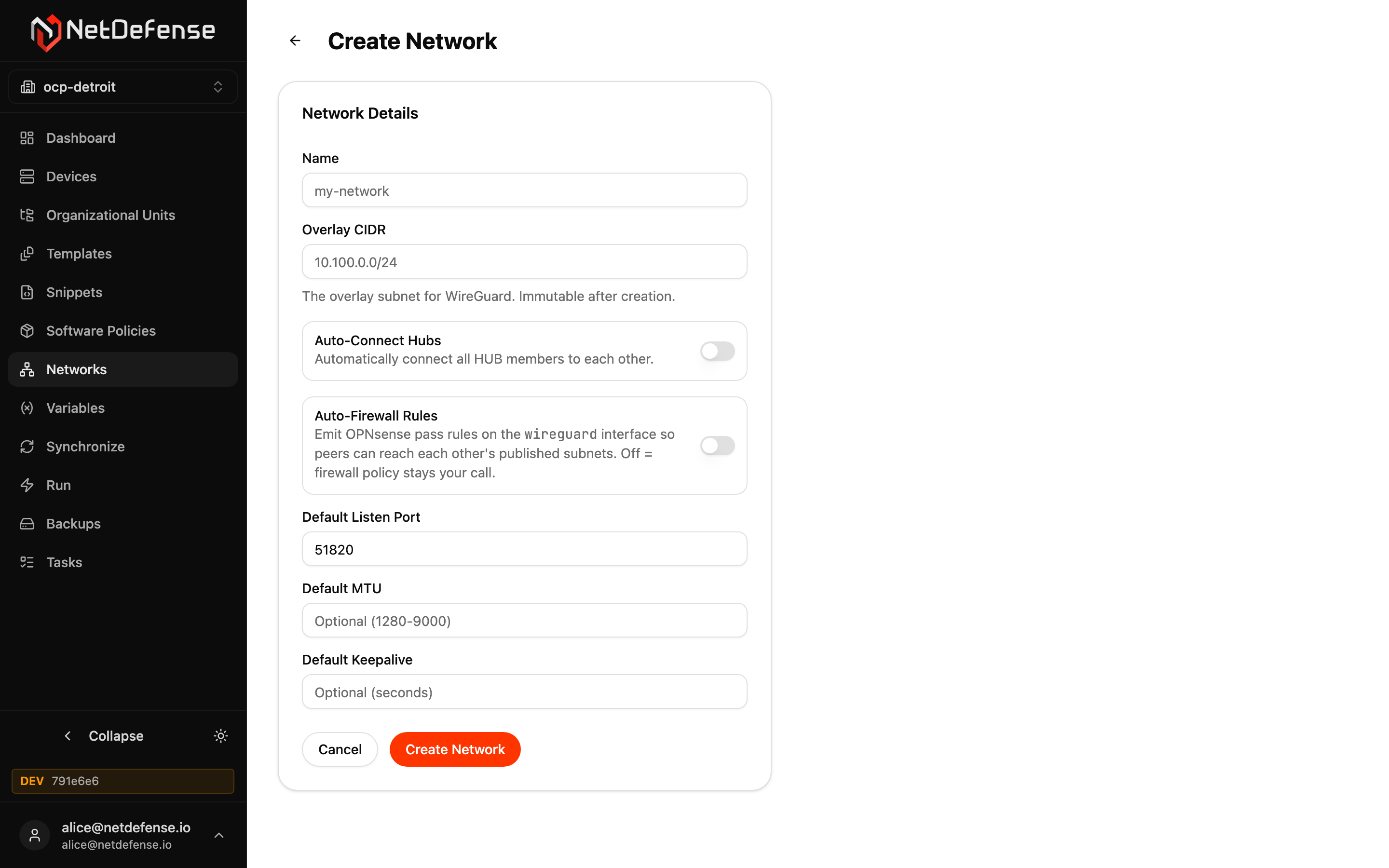
+ Create Network opens the form. Required fields:
- Name — used in URLs and on the device.
- Overlay CIDR — the WireGuard subnet. Cannot be changed later.
Optional:
- Auto-Connect Hubs — when on, every HUB member automatically peers with every other HUB. Off means you wire HUB-to-HUB links manually.
- Auto-Firewall Rules — when on, NetDefense emits OPNsense
passrules on thewireguardinterface so peers can reach each other’s published subnets. Off keeps the firewall policy entirely under your control. - Default Listen Port, Default MTU, Default Keepalive — defaults applied to every member’s WireGuard interface unless overridden per peer.
Network detail
Section titled “Network detail”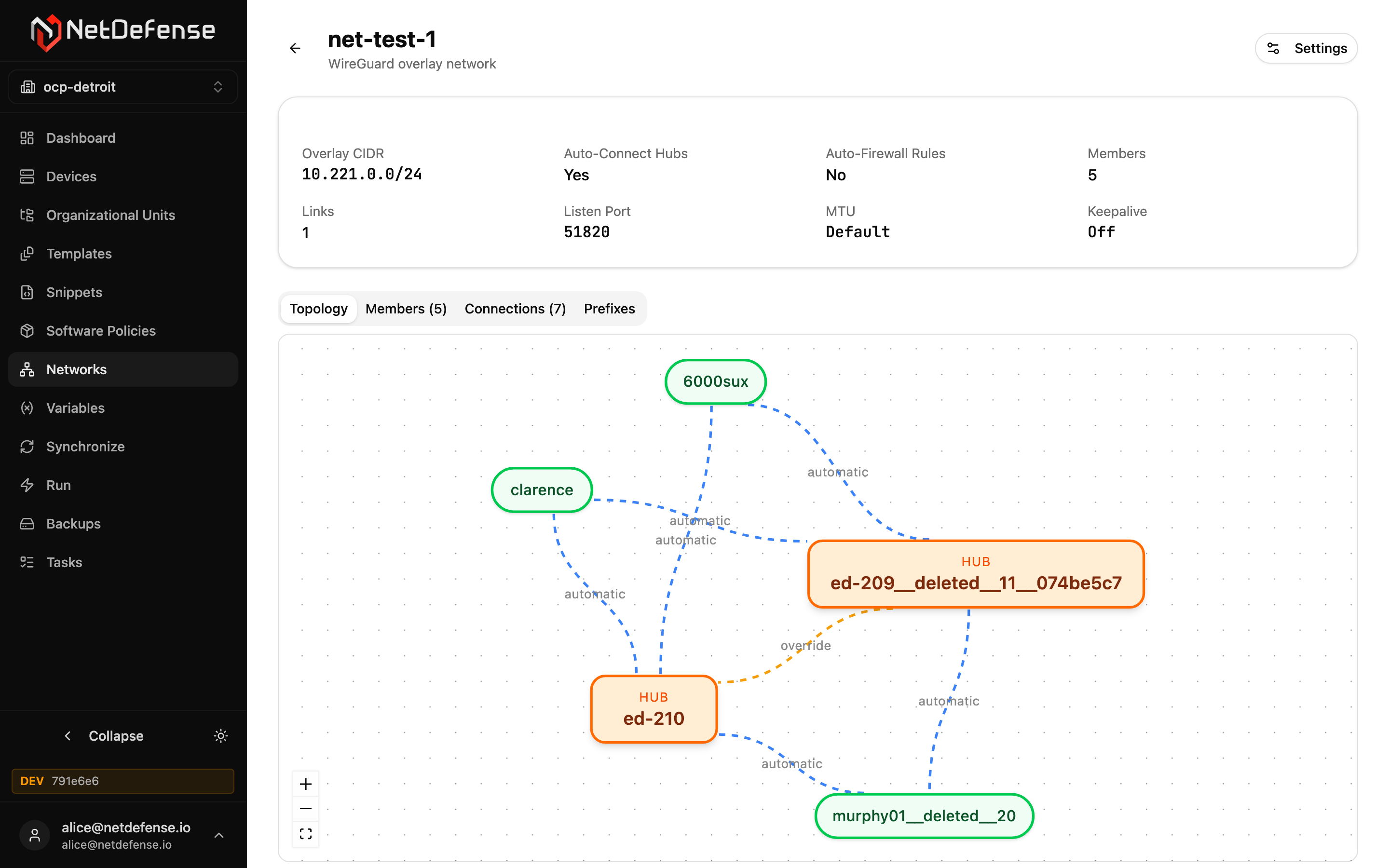
The header has the network’s name and a Settings button (edits the metadata set during creation, minus the immutable CIDR).
The summary strip lists the eight key fields at a glance: CIDR, auto-connect, auto-firewall, members, links, listen port, MTU, keepalive.
Below it, four tabs:
- Topology — a graph view of the network. HUB members are orange boxes marked HUB, SPOKE members green pills. Each line is labelled with its state:
automaticlines are blue and move, amanual linkis grey and dashed, anoverrideis amber, and a disabled peering is red and faded. - Members (N) — the joined devices, each with its role (HUB or SPOKE), whether it’s enabled, its overlay IP and its endpoint. Add, edit or remove members here.
- Connections (N) — every peering in the network, with its type, state, whether it’s active and whether it has a pre-shared key. A hub peers with every spoke automatically, and with the other hubs too when Auto-Connect Hubs is on. Create Override on an automatic peering lets you disable it, and Delete Override (Restore Automatic) brings it back. Create Manual Link adds a peering that wouldn’t exist otherwise, such as spoke to spoke.
- Prefixes — the additional CIDRs each member announces to the network (typically a LAN behind the firewall).