Templates
Templates are named bundles of snippets. You assign templates to OUs or directly to devices, and NetDefense computes each device’s final configuration by merging every applicable template in the right order. Read the concept overview in Templates and Policy Chain.
Templates list
Section titled “Templates list”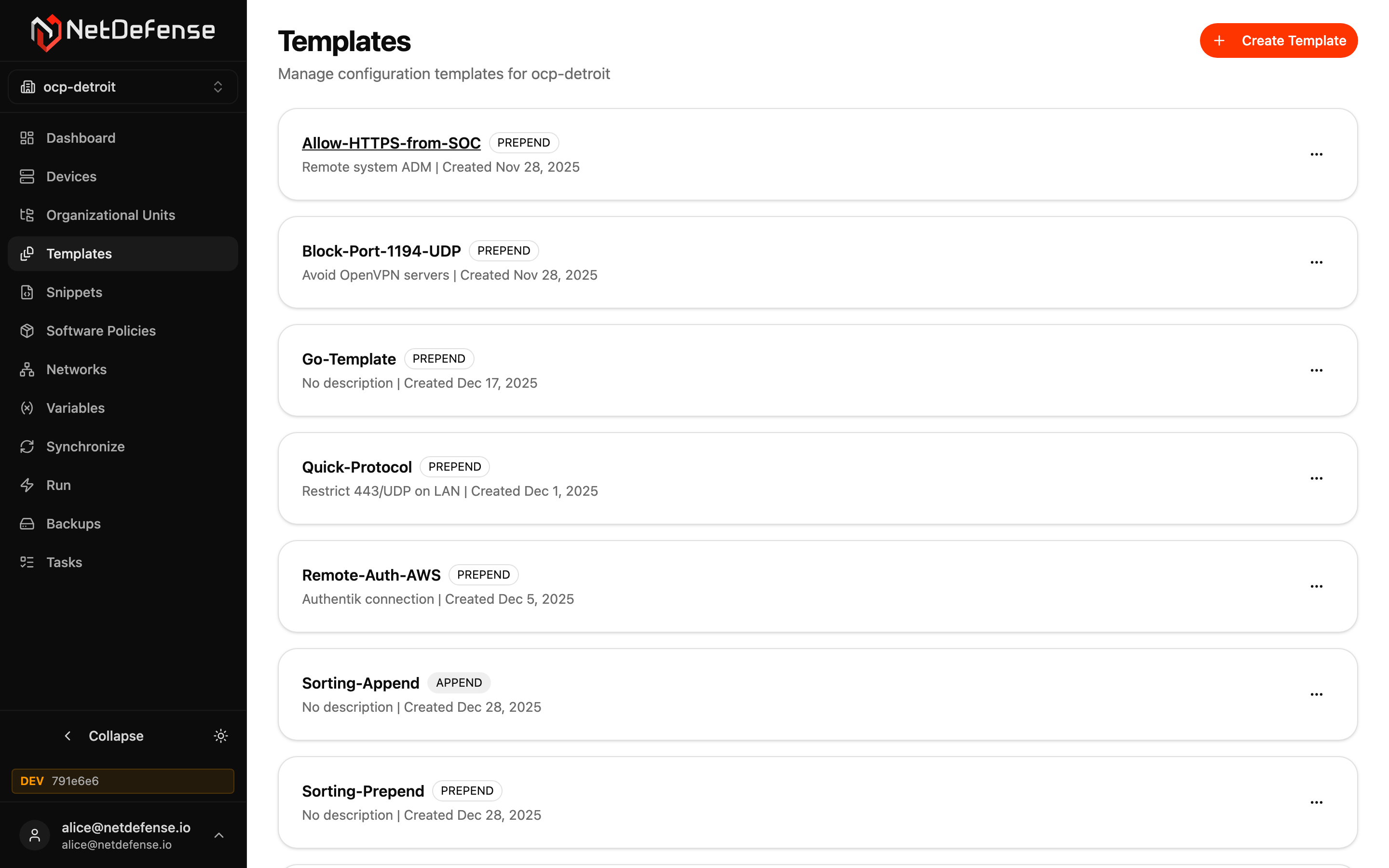
Each card is one template, with its description and its creation date. A colour-coded PREPEND or APPEND badge gives the template’s position in the policy chain. The position applies to the template’s firewall rules. OPNsense evaluates floating rules, then interface-group rules, then single-interface rules. With NetDefense agent 1.23.0 or later, PREPEND rules come before the device’s own rules in each section, and APPEND rules after them. Legacy rules (not yet migrated) always stay last in their section, after APPEND rules too. To keep PREPEND rules first, the agent may raise the sequence numbers of the device’s own rules; their order is kept and every change is listed in the sync task’s result. See Where rules land on the device.
Each card’s … menu offers Rename and Delete. Click the template name to open its detail page, which has the Edit button.
Use + Create Template to start a new one. You’ll need a name, a position, and an optional description; you can add snippets afterwards.
Template detail
Section titled “Template detail”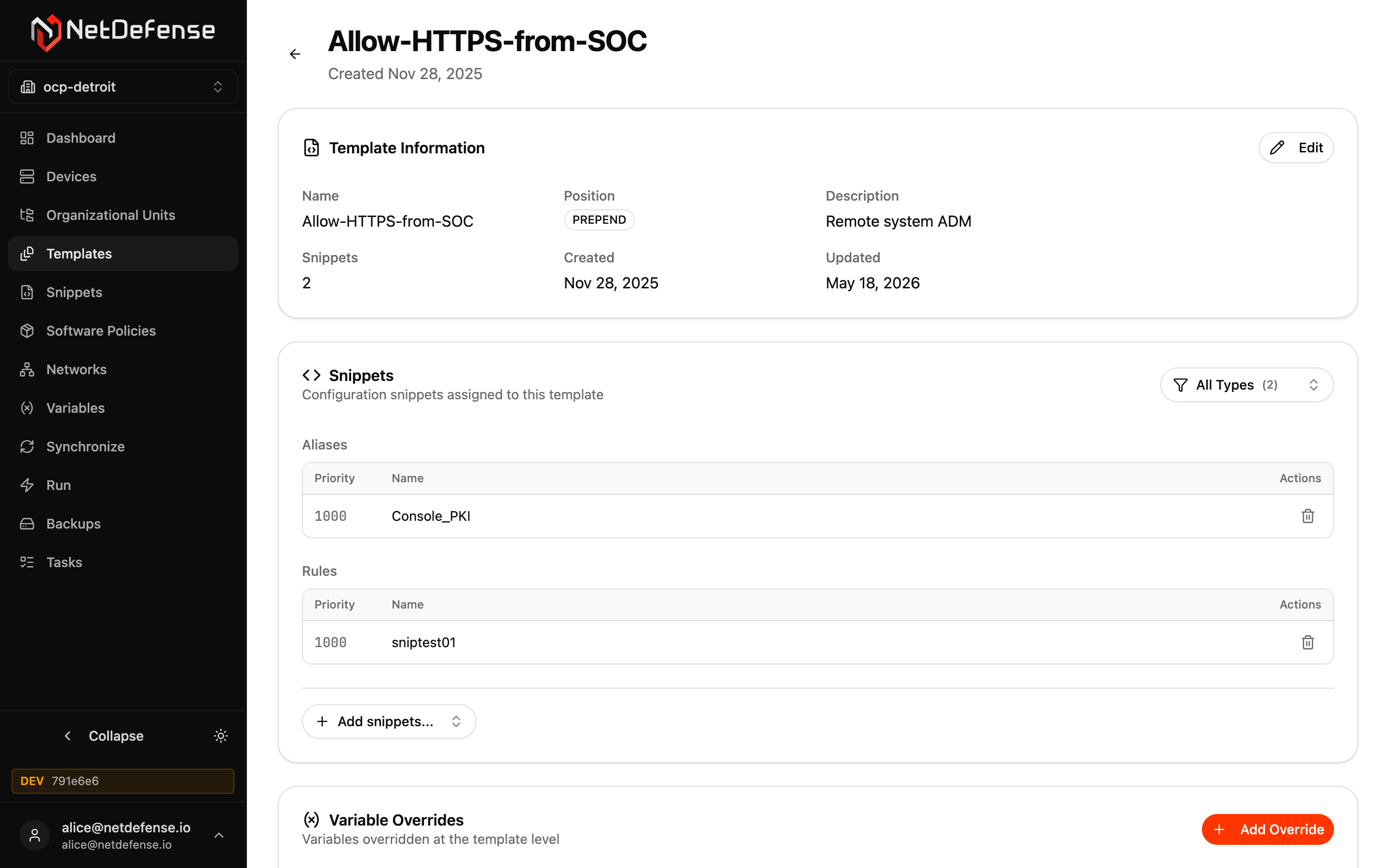
Template Information holds the metadata: name, position, description, the number of snippets, and timestamps. Edit changes the description and the position, PREPEND or APPEND; like any template change, a new position reaches a device at its next sync. To change the name, use Rename in the template’s … menu on the list.
Snippets groups the assigned snippets by type (Aliases, Rules, Groups, Users, Host Overrides, etc.) and shows each with its priority and name. The lower the priority number the earlier it applies inside the template. Use the All Types filter to focus on one kind. + Add snippets… opens a multi-select picker scoped to the active organization; the trash icon detaches a snippet (the snippet itself is not deleted).
Variable Overrides sets variable values for this template’s snippets — useful when a single template should ship with its own value for a parameter regardless of where it’s assigned. The order is Device > Template > OU > Organization: a device override always wins, and a template override beats the OU and organization values but applies only to this template’s snippets.
Software Policies, beside it, lists the software policies attached to the template, each with its Required and Blocked packages, Custom repositories and External packages. Attach software policy… opens a picker of the organization’s policies that aren’t attached yet; the trash icon detaches one (the policy itself is not deleted). An attachment can bring a warning toast naming a repository or external package that another policy defines differently on a device this template reaches: the attachment is kept, and that device’s syncs fail until the two policies agree.