Synchronize
Editing a snippet, template, or variable doesn’t change anything on a firewall by itself — the change sits in the control plane until you sync it. The Synchronize page is the central place to push the computed configuration to any or every device in an organization. Read about the delivery pipeline in Sync & Delivery.
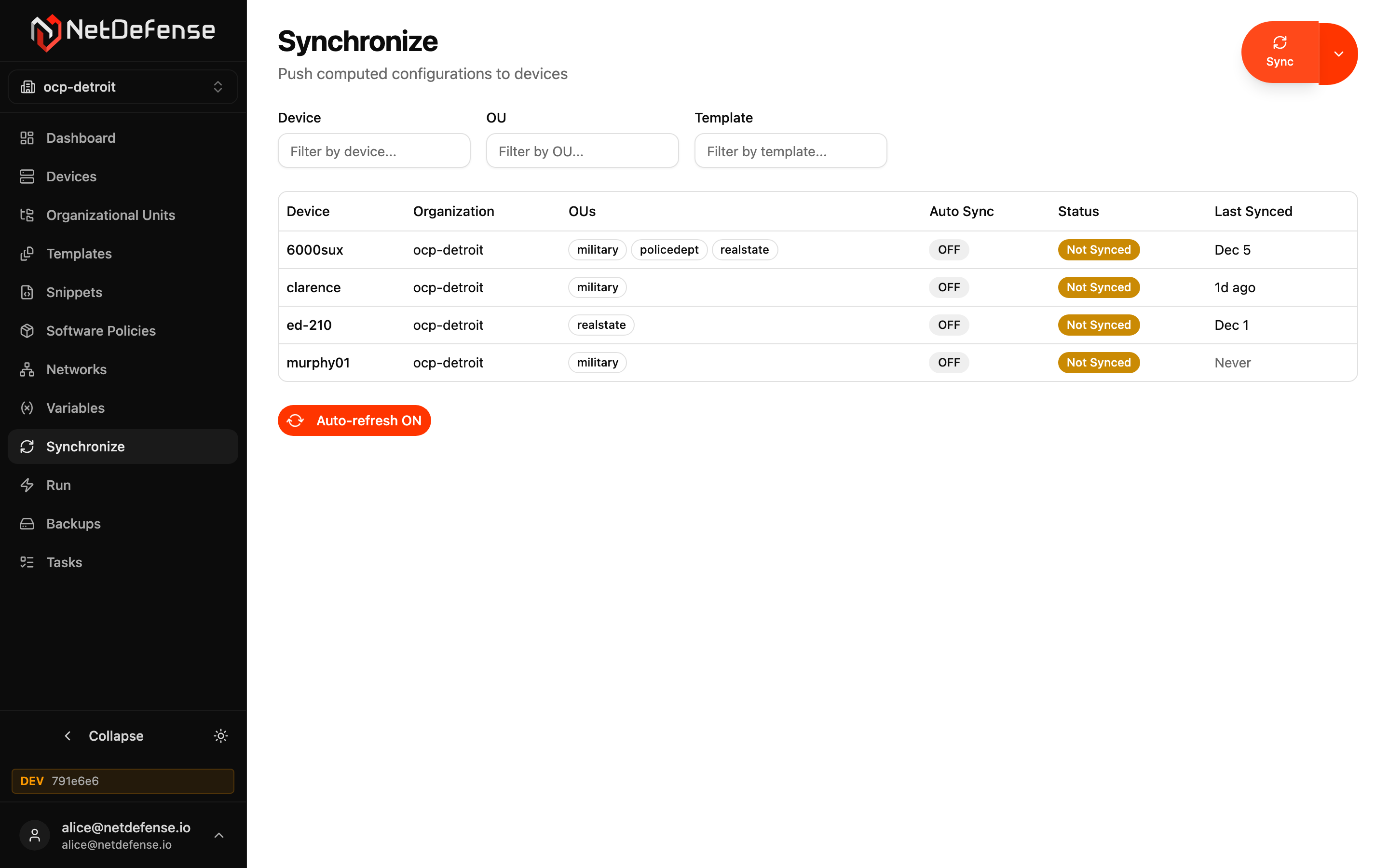
The page has three cards, top to bottom: Filter, Matching devices and Action.
Filter builder and device preview
Section titled “Filter builder and device preview”The Filter card narrows the devices a sync targets:
- Device and Template take RE2 regular expressions, matched anywhere in the name. For an exact name, write
^device-name$. - OU takes an exact OU name.
- Drift state is any drift state, or one of In Sync, Drift, Never Synced, Unknown and Error.
Leave every field empty to target the entire organization. The list loads when the page opens, with no filter, and refreshes on its own shortly after you stop editing the filter. Preview matching devices refreshes it at once. Until it does, the page says the preview is stale.
What the table shows
Section titled “What the table shows”Matching devices lists the devices a sync with the current filter would target, with their count. The preview uses the same logic as the sync, so it is exactly the set that will be synced.
| Column | Meaning |
|---|---|
| Device | Name of the device. Click it to open the device. |
| OUs | The OUs the device belongs to. |
| State | The device’s drift state, such as In Sync, Drift or Never Synced, with Not synced beside it when the configuration it last received isn’t the current one. A device whose configuration can’t be built shows Error with the reason. See Drift Detection. |
| Auto | The device’s auto-sync flag, shown as ON or OFF. It’s a placeholder for a feature that hasn’t shipped and changes nothing: every sync still needs a trigger, now or on a schedule. |
| Last Synced | How long ago the device last synced, with the full time on hover, or Never. |
Triggering a sync
Section titled “Triggering a sync”In the Action card, leave Mode on Sync now and click Sync. A dialog asks you to confirm the number of devices. Force sync (skips hash check) also pushes to devices whose configuration already matches what NetDefense last sent, for example after someone changed one by hand.
Sync Results then lists the tasks the sync created and any errors. Each device gets a task, whose page lists every object the sync touched.
To sync one device, use Sync on the device’s page. To sync every device in an OU, use Sync OU on the OU’s page.
Scheduling a sync
Section titled “Scheduling a sync”Switch Mode to On schedule, pick a schedule, and click Register. The filter becomes a recurring spec that syncs the devices it matches on every tick of the schedule. It doesn’t run at once. Manage recurring syncs on the Scheduled specs tab of Tasks.