Snippets
Snippets are the smallest unit of NetDefense configuration. Each one targets a single OPNsense concept — a rule, an alias, a group, a user, a host override — and ships its content as a JSON document the agent applies to the device’s config. Templates collect snippets; snippets stand on their own. The concept overview lives in Snippets.
Snippets list
Section titled “Snippets list”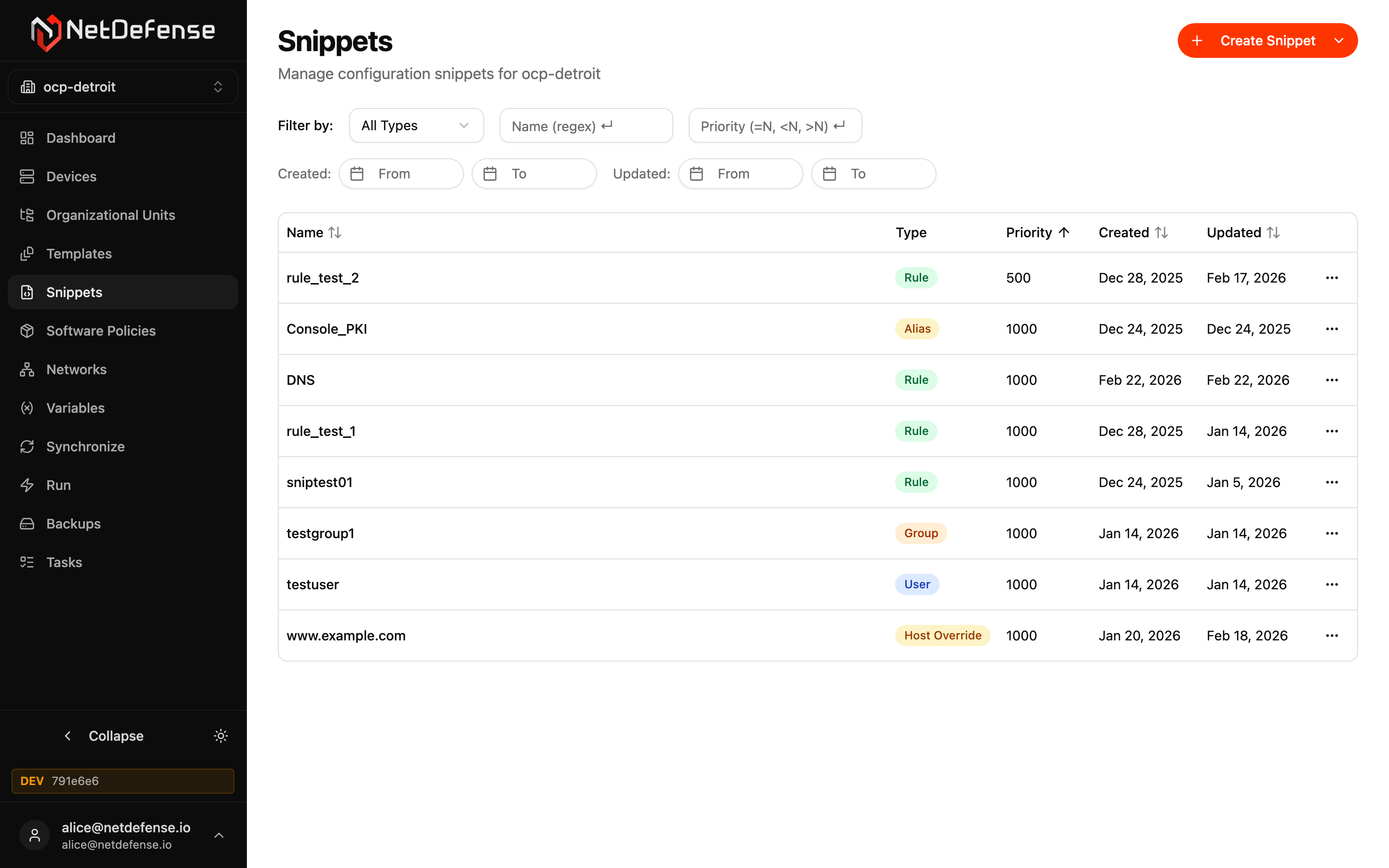
The table shows every snippet in the active organization with its type, priority (it orders firewall rules across all templates: PREPEND before APPEND, each lower priority first, inside each OPNsense rule section — see Policy Chain), and creation/update timestamps. The filter bar above supports a type dropdown, a name regex, a priority comparator (e.g. <500), and date ranges for created/updated.
Each row’s … menu has Rename, Clone, and Delete; click the name to open the detail editor. Clone asks for a new name and copies the snippet’s type, content, and priority. The copy gets its own uuid where its type has one; names inside the content are copied as they are, so edit the copy where the device needs them to differ. Clone is hidden for Auth Server snippets — a copy would carry the same permanent, device-facing server name, and two servers can’t share one. It isn’t offered for Trust CA and Trust Certificate snippets either; create another with + Create Snippet.
Create a snippet
Section titled “Create a snippet”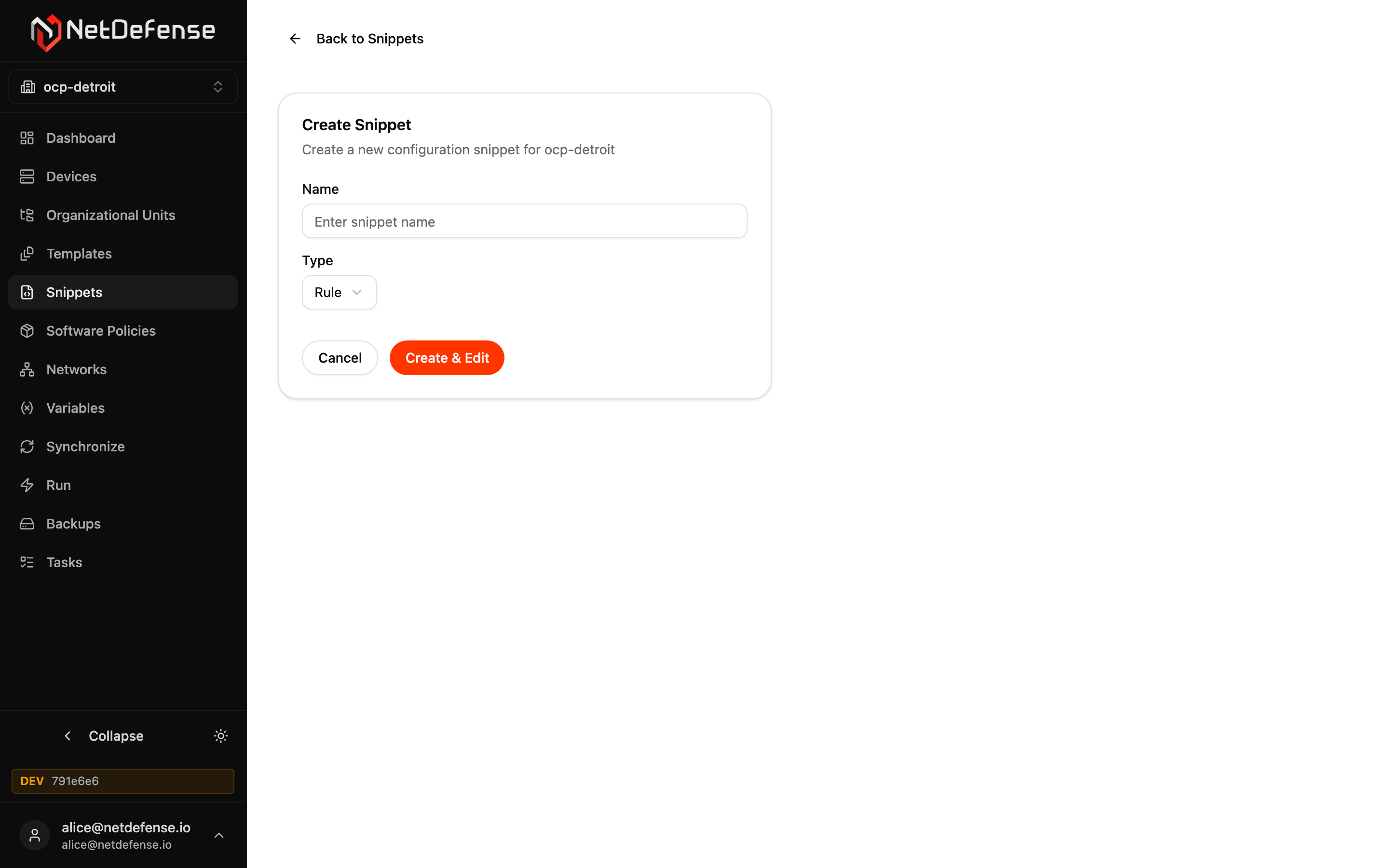
+ Create Snippet in the top-right is a dropdown: Create from scratch opens the create form below; Pull from device reads existing configuration off a device instead of starting from an example. Review what comes back before saving it — a pulled snippet carries whatever the device’s configuration held, secrets included, and NetDefense doesn’t strip those out for you.
The create form asks for:
- Name — must be unique within its type in the organization.
- Type — Rule, Alias, Group, User, Host Override, Domain Forward, Host Alias, ACL, Auth Server (LDAP), Auth Order, Trust CA, Trust Certificate, and more. The type decides the JSON schema the agent expects.
- Server name (as it will appear on the device) — only shown for Auth Server (LDAP); becomes the server’s permanent device-facing name and can’t be changed afterward.
- The certificate — only shown for Trust CA and Trust Certificate: Name (as it will appear on the device), the certificate itself (Paste PEM, or From a variable for a certificate per device), and for a Trust Certificate the Private key variable. The form writes the JSON content for you, with the PEM escaped; Edit as JSON instead shows it. A private key pasted as the certificate is refused before anything is sent.
There’s no priority field here — Create & Edit saves the snippet right away (priority defaults to 1000) with example placeholder content for the chosen type, or for Trust CA and Trust Certificate with the content from the form; the real JSON body and the priority are edited afterward from the snippet’s own detail page.
Snippet detail
Section titled “Snippet detail”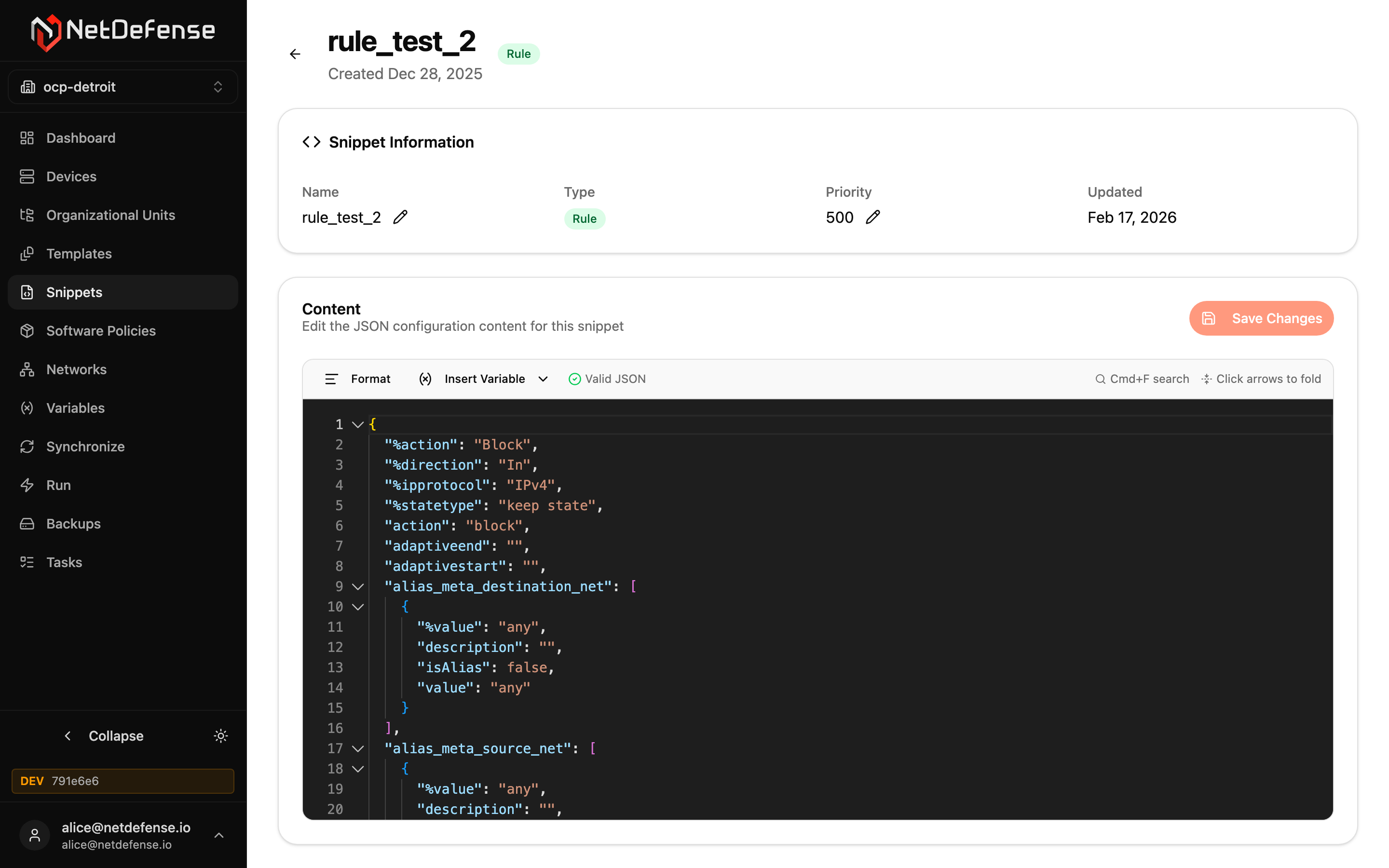
The detail page is where the JSON body actually gets written. Snippet Information shows the snippet’s name (with a rename control), its type, and priority (an integer with its own edit control that orders firewall rules across all templates: PREPEND before APPEND, each lower priority first, inside each OPNsense rule section) — see Policy Chain. The Content card is a Monaco-style JSON editor with NetDefense’s schema loaded — keys autocomplete, the Valid JSON badge in the gutter flips red the moment you break syntax, and Insert Variable drops in a variable reference at the cursor. Save Changes persists the edit — it does not push the snippet to any device. The next time you sync a device that uses a template containing this snippet, the new content is bundled into the computed configuration.
Content is stored and shown exactly as written — NetDefense does not scan it for secrets. Keep passwords and keys out of the JSON body; use a secret variable and reference it as ${name} instead. See Content Format for the full explanation.
Leave the uuid out of Rule, Alias, Host Override, Domain Forward, Host Alias, and ACL content: NetDefense generates it, and the example content from Create & Edit carries none. A uuid that another snippet already holds is refused (SNIPPET_UUID_IN_USE), and the web app shows the message. See The managed uuid.
Only a Superuser can save content that grants firewall administrator rights — a User or Group with administrator-equivalent privileges, a Zabbix command, and the like — and once a Superuser has saved a User or Group snippet, only a Superuser can change its content. The same goes for Pull from device when the pulled content is elevated. See Snippets that grant administrator rights for what counts and what a sync reports when clearance is missing.
To save a snippet again without changing it — to give it Superuser clearance, for example — make a whitespace-only edit first, such as a line break after the closing brace: Save Changes stays disabled until the text differs from what’s stored.
For a Trust CA or Trust Certificate whose certificate is pasted into the content, Replace certificate (PEM) takes the renewed certificate and, with Replace in editor, puts it in place, escaped, leaving everything else as it was; Save Changes applies it. See Renewing a certificate or CA.
Use Format (top-left of the editor) to pretty-print, Insert Variable to inject a ${var_name} reference, and Cmd+F / Ctrl+F for in-document search. The fold arrows on the gutter collapse nested objects so you can focus on one branch at a time.