Organizational Units
Organizational Units (OUs) are containers for devices. A device can belong to multiple OUs, and OUs can hold their own template assignments and variable overrides — so the same template applied at the OU level reaches every device in that OU without per-device wiring. Read about the layering model in Organizational Units and Policy Chain.
OUs list
Section titled “OUs list”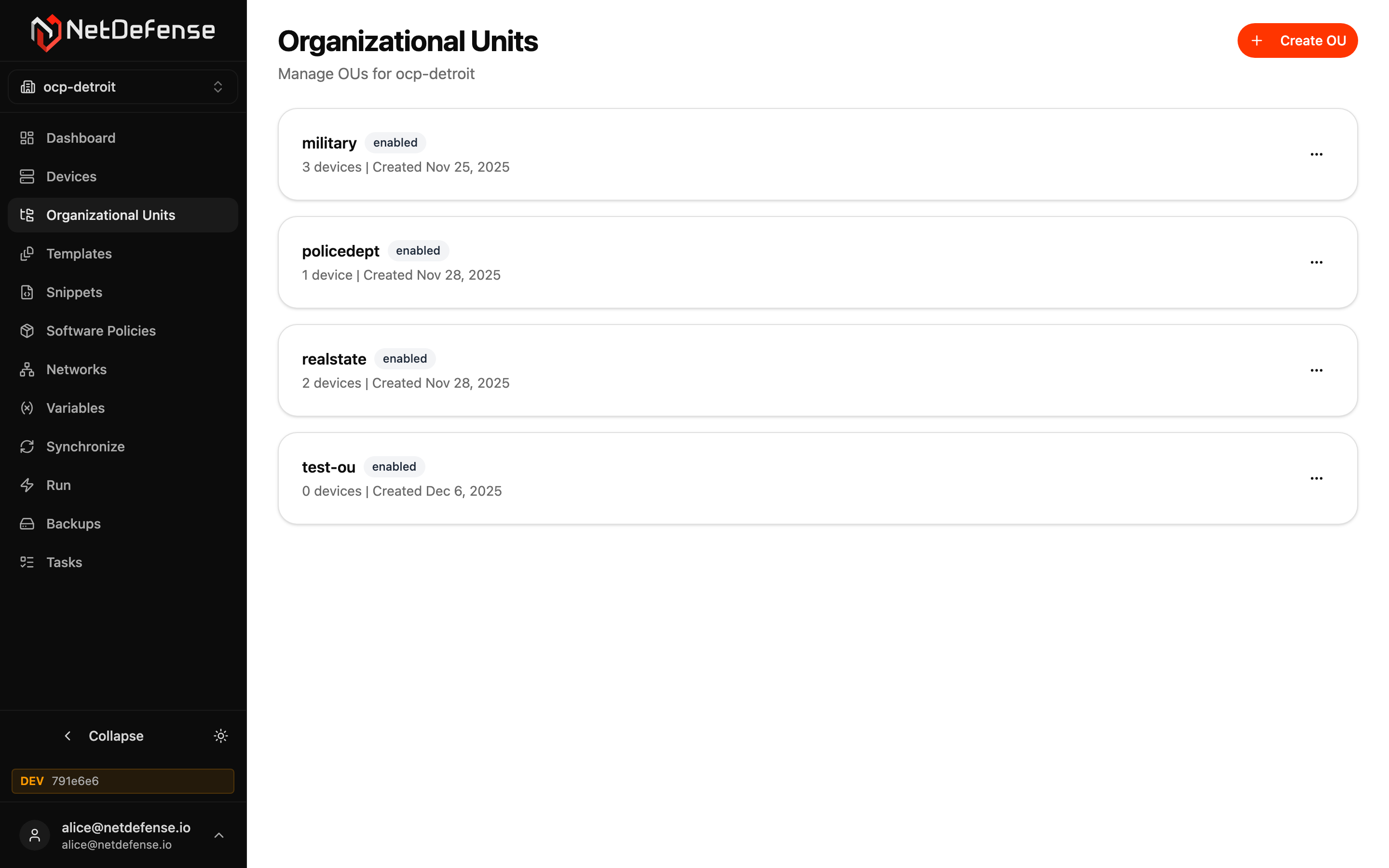
Each card shows an OU’s name, status, device count, and creation date. The … menu on each card lets you Rename or Delete the OU. Click anywhere else on the card to open its detail page.
Click + Create OU in the top-right to add a new OU. You only need a name; you can assign devices, templates, and overrides afterwards.
OU detail
Section titled “OU detail”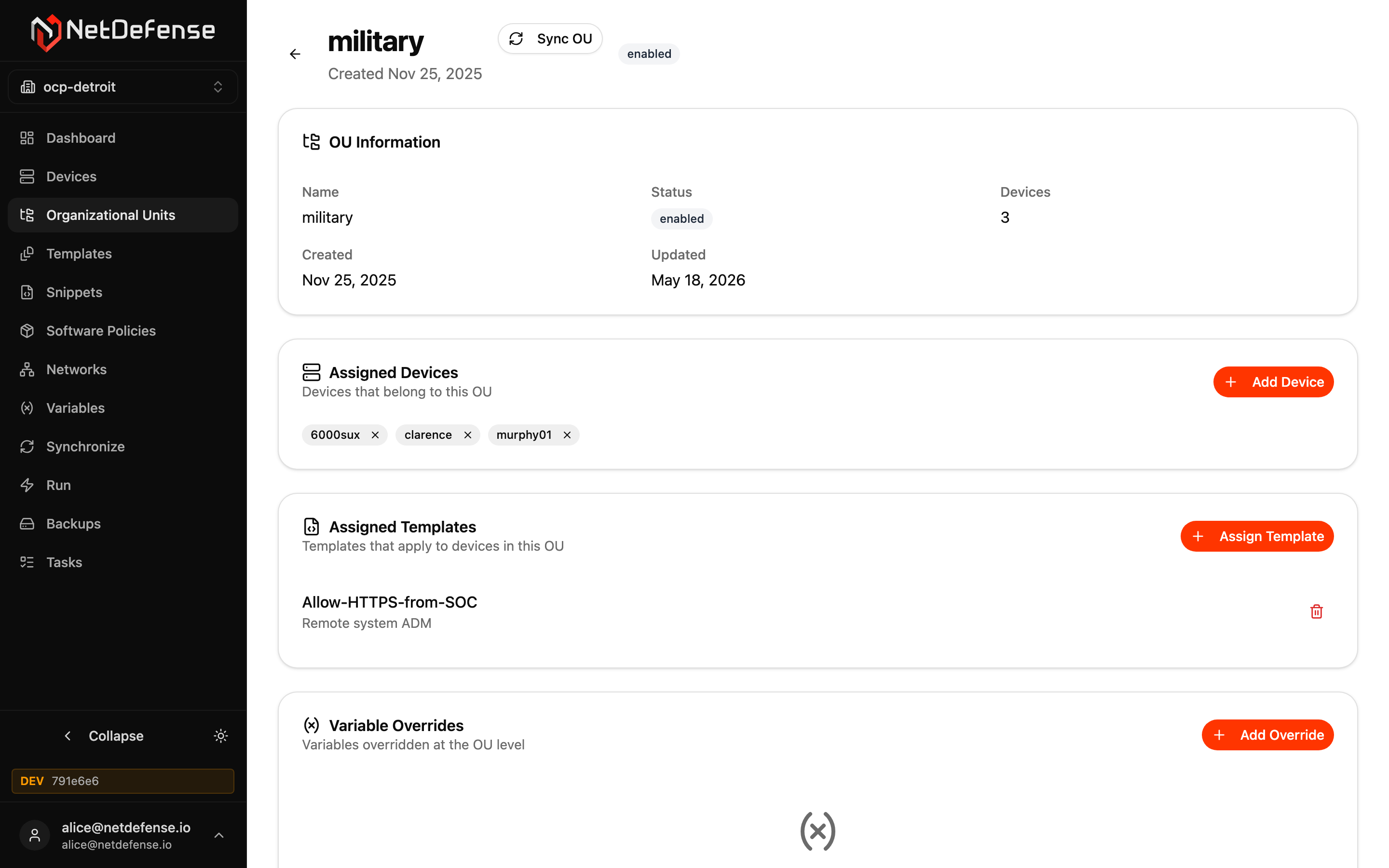
The header shows the OU’s name, status badge, creation date, and a Sync OU button that pushes the current computed configuration to every device in this OU in a single batch — handy when you change a shared template and want every member device to pick it up at once. When NetDefense can’t build the configuration of some of those devices, a Last sync: N devices refused card lists each one with its code and message — SNIPPET_AGENT_TOO_OLD for a device whose agent is too old for its rules, for example — and those devices keep their current configuration. See When a configuration can’t be built.
Cards on the page:
OU Information — name, status, device count, and timestamps.
Assigned Devices — chips for every device in the OU. The × on each chip removes the device from this OU (it remains enrolled, just no longer a member). + Add Device opens a picker with the org’s other devices.
Assigned Templates — every template that applies to this OU. + Assign Template picks one to add; the trash icon removes the assignment.
Variable Overrides — variable values that override the organization-level value for devices in this OU. + Add Override opens the variable picker. OU-level overrides are themselves overridable at the device level — see Variables for the full chain.