Variables
A NetDefense variable is a named value that snippets reference by ${name}. Each variable has a default at the organization level and can be overridden at the OU, template, or device level, and a device’s own value always wins (see Overrides). Variables can also be marked secret, in which case their values are never displayed again once written — every read path (this page, ndcli, the API) returns a redacted placeholder instead of the value. The concept overview is in Variables.
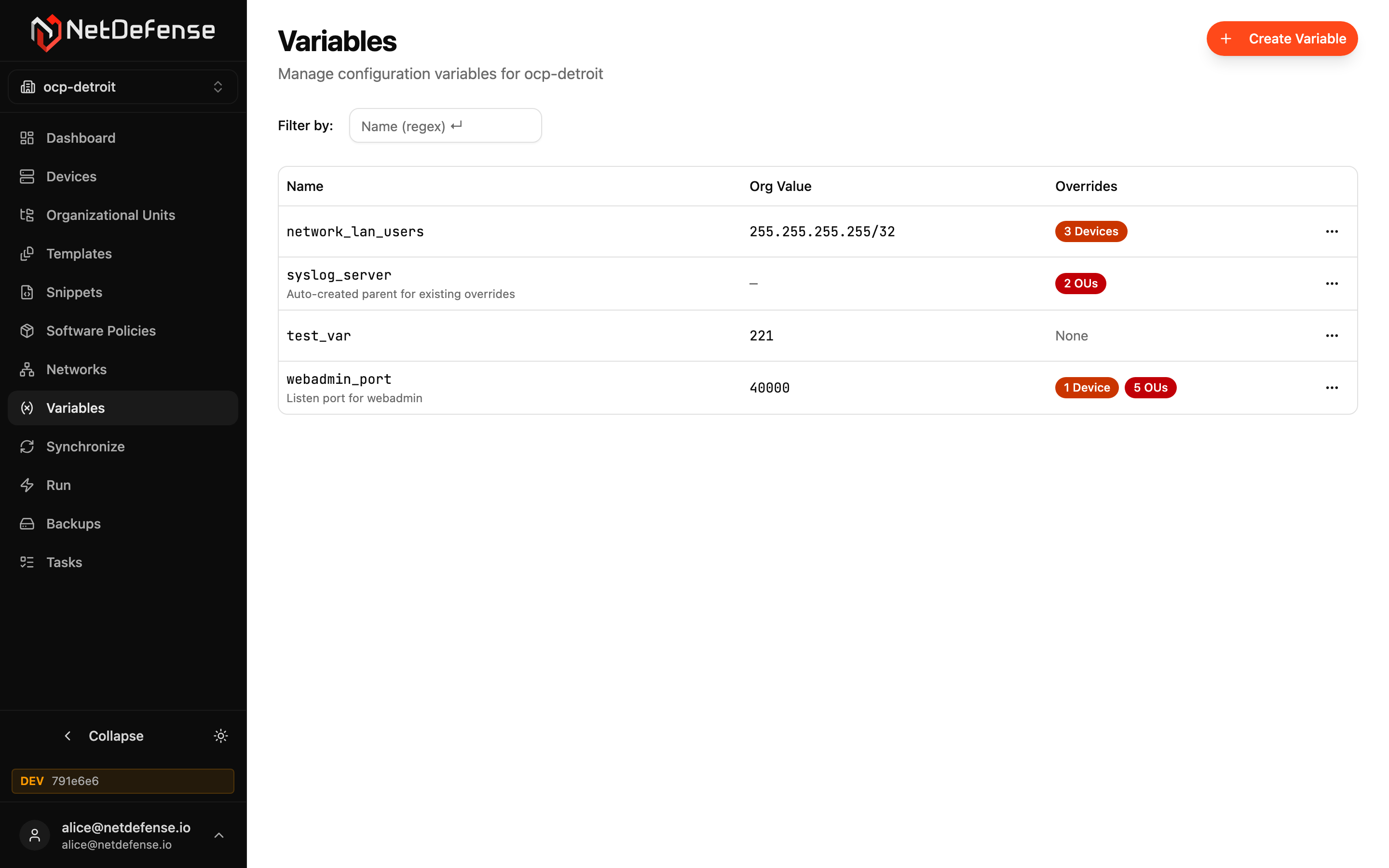
Variables list
Section titled “Variables list”Each row is one variable:
| Column | Meaning |
|---|---|
| Name | Used as ${name} in snippet content. Click to open the variable. |
| Org Value | The organization-level default. Dashes (—) mean no org default is set — the variable only exists because something at a lower scope overrides it. |
| Overrides | Badges counting the devices, templates and OUs that override this variable, or None. Click the badge to open the override sheet. |
Secret variables show their org value as a masked placeholder rather than the raw string.
The filter bar above the table accepts a name regex.
The … menu on each row has Edit and Delete; open the Overrides badges to manage per-device, per-OU, or per-template overrides. The Edit dialog is also how you replace a secret’s stored value — for example, rotating a bind password after the directory-side credential changes.
A value used by a snippet that grants administrator rights has to be saved by a Superuser. To record that on an existing value, a Superuser opens Edit — on the variable or on the override that applies — and saves it as it is. A secret’s value can’t be shown, so type it in again; leaving the field empty keeps the secret but doesn’t count as a new save. See Variables that need a Superuser.
Create a variable
Section titled “Create a variable”+ Create Variable in the top-right opens the form. You provide:
- Name — must be unique in the organization.
- Secret — toggle on to redact the value on every read path once it’s written. Secrets show as a lock and the word secret on every override sheet and detail page, and can’t be retrieved again — only replaced. Use it for passwords, API keys, and pre-shared keys referenced from snippet content — NetDefense doesn’t scan snippet content for secrets on its own.
- Multi-line value (PEM) — for a certificate or a private key, such as one a Trust Certificate uses: Value becomes a text area that keeps line breaks and trims nothing. Pasting a value with line breaks switches to it on its own. With Secret on, the field shows only a summary such as PEM private key, 28 lines, hidden, with Reveal and Clear. A private key is refused unless Secret is on.
- Value — the default at the organization scope. Required.
- Confirm Value — shown only when Secret is on and the value is a single line; must match Value exactly before the form submits.
- Description — optional, but recommended for shared organizations.
Overrides
Section titled “Overrides”A variable’s value at sync time is decided by these scopes, in this order; the first scope that sets the variable wins:
- Device override (set on the device’s detail page).
- Template override (set on the template’s detail page). It applies only to that template’s snippets.
- OU override (set on the OU’s detail page).
- Organization default (set on the variable itself).
Open a variable’s override sheet from the badges in the Overrides column to see who’s overriding it at each scope, edit values, or remove an override. Removing all overrides at every scope falls back to the org default.